

Most website owners see numbers they don’t understand
Many WordPress owners run their website through PageSpeed Insights and immediately get overwhelmed: Performance scores, Core Web Vitals, diagnostics, opportunities, warnings.
The problem is not getting the data. The problem is understanding what actually matters. Our WordPress Performance Audit translates all those technical reports into practical advice that anyone can understand.
What’s included in the Free Audit
Core Web Vitals analysis
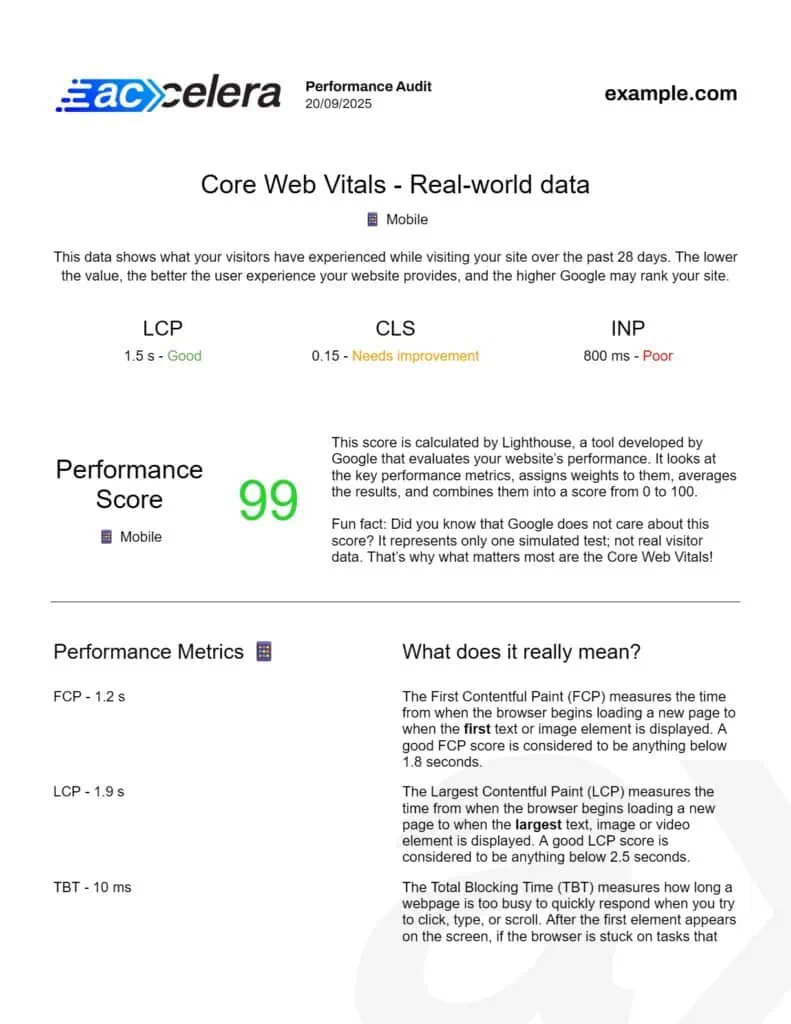
We analyze your domain-level Core Web Vitals using Google’s official Chrome User Experience Report (CrUX).
See whether your real visitors experience good, average or poor performance.
For both mobile and desktop users.
PageSpeed performance scores
We collect performance scores from Google PageSpeed Insights for mobile and desktop devices.
Learn what these scores mean and how much attention you should actually pay to them.
Performance metrics explained
Understand metrics such as:
- Largest Contentful Paint (LCP)
- Cumulative Layout Shift (CLS)
- First Contentful Paint (FCP)
- Total Blocking Time (TBT)
- Speed Index (SI)
All explained in plain English.
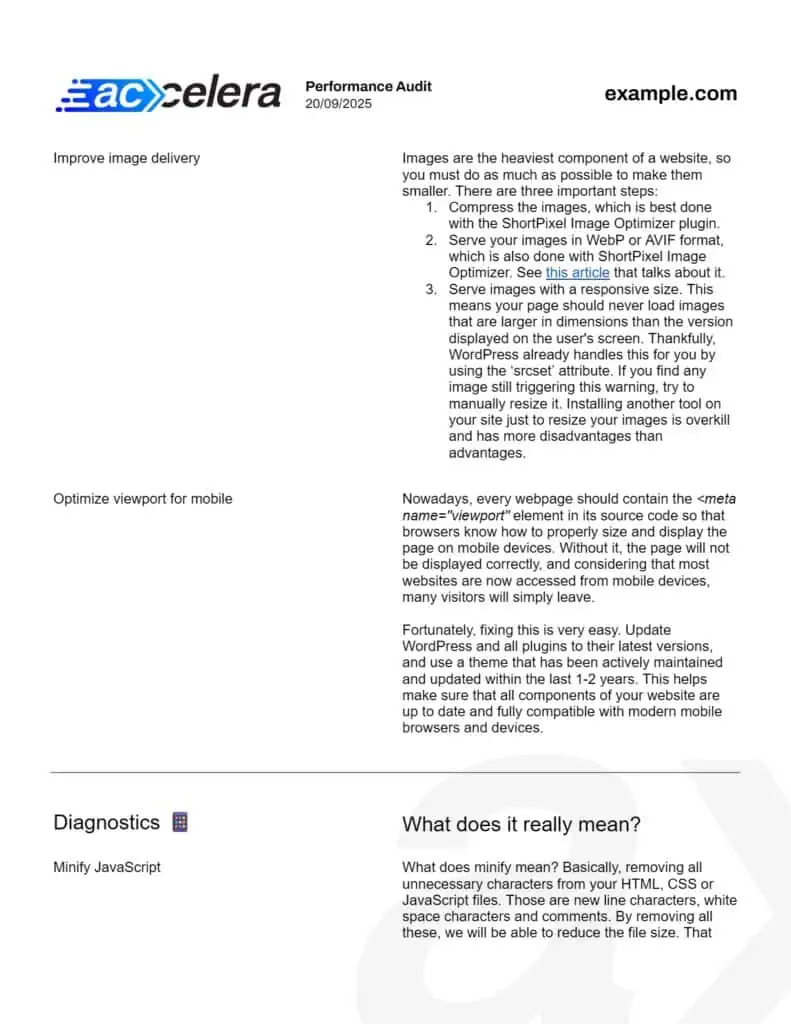
Opportunities & diagnostics
We review all recommendations generated by PageSpeed Insights and explain:
- What each issue means
- Whether it is important
- Whether it is worth fixing
- Common ways to improve it
Actionable recommendations
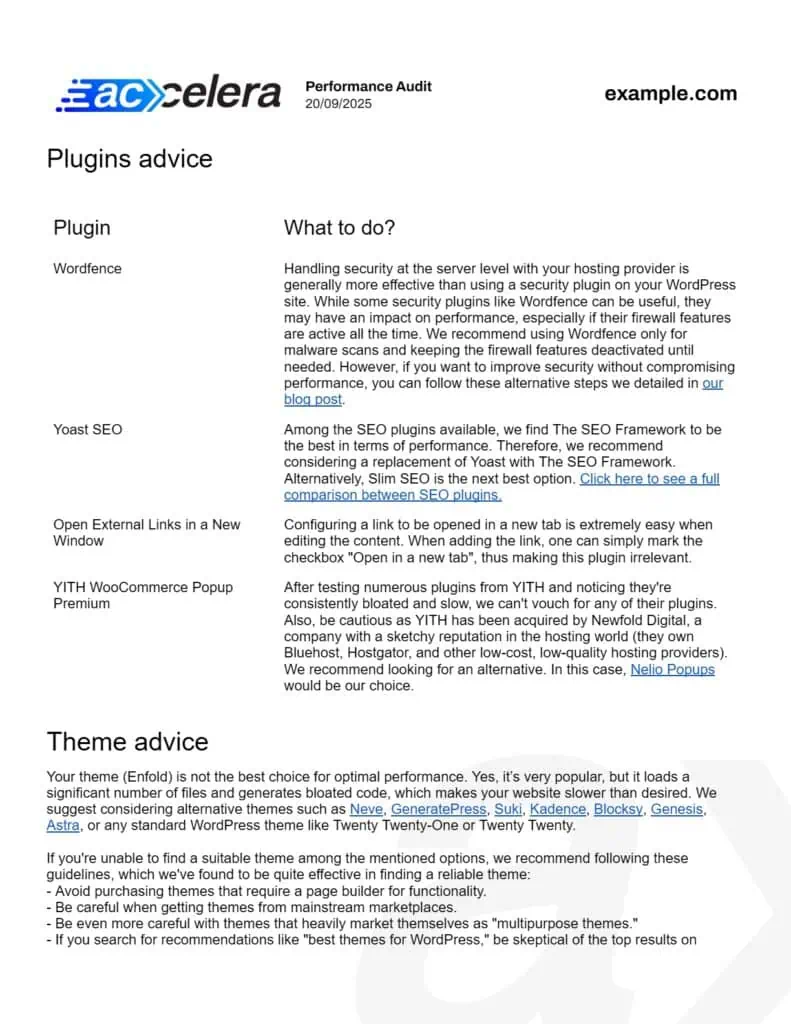
Receive practical recommendations that can help improve your website’s speed and user experience.
No generic AI-generated checklist.
See what your audit looks like
Your audit is delivered as a clear PDF report that you can keep, share with developers, or use as a roadmap for future improvements.
Need more than Google’s data?
WordPress Custom Performance Audit
| Free Audit | Custom Audit | |
|---|---|---|
| Price | 0€ | TBA |
| Core Web Vitals analysis | ✓ | ✓ |
| PageSpeed analysis | ✓ | ✓ |
| Metrics explanations | ✓ | ✓ |
| PSI opportunities review | ✓ | ✓ |
| WordPress plugin analysis | – | ✓ |
| Theme analysis | – | ✓ |
| Personalized recommendations | – | ✓ |
| Optimization tool suggestions | – | ✓ |
The Free Audit analyzes publicly available performance data and explains what it means for your website in clear, practical terms.
The Custom Audit goes a step further by analyzing your WordPress installation directly. After installing a small plugin, we securely collect technical information about your website, allowing us to identify issues and opportunities that public testing tools cannot detect.
Based on your actual WordPress setup, you’ll receive tailored recommendations and suggested tools to improve performance and Core Web Vitals.
If you decide to move forward with a Complete Speed Optimization project or Managed Optimization plan within 30 days, the full cost of the Custom Audit will be deducted from the project price.
ⓘ You’ll be redirected to the payment page

Why generic reports often miss the real problem
Most website performance reports are too generic, giving the same recommendations to every website regardless of its unique setup, audience, or business goals. Many also lack real knowledge behind the recommendations, telling you to “fix this” but they don’t actually know how to do it properly.
On top of that, performance audits are often filled with technical jargon and lengthy checklists that are difficult to understand. That’s why our audit goes beyond automated reports by analyzing your Core Web Vitals and WordPress setup, providing personalized and clear recommendations tailored to your website.
Frequently Asked Questions
Nowadays, if you want to know how to optimize your website, you will find either unreliable and unverified information, biased/paid advice or complicated reports and guides. At Accelera, we meet all three criteria: experience, honesty and simplicity. In other words, you get trust and knowledge.
Yes, of course! Check out our Complete Speed Optimization service, Managed Optimization plans or Technical Support service.
GTmetrix, Google PageSpeed Insights and similar tools evaluate different aspects of your website, not just its loading speed. This means that even if your website loads quickly, you may not get a high score due to other factors. That’s why we can’t promise a specific score, because these metrics are very complex and can be influenced by many different factors.
Moreover, it’s not always necessary to achieve a perfect score to meet the Core Web Vitals requirements, which is what Google takes into account for ranking your site. Our main focus is on optimizing your website to ensure it loads as quickly as possible.
The amount of work varies from website to website, so once the audit is complete, just ask for it and we will provide you with a quote for optimizing your website for you.
The Free Audit does not require anything from you. We only need your website URL (obviously) and your email address so we can send the report to you.
The Custom Audit process works like this:
- Go to the payment page, where you can securely enter your credit card details.
- You’ll then be redirected to a form where you’ll enter:
- Your email address.
- A report number. This report number is generated by a small plugin that you’ll install on your website. The plugin sends the necessary technical information about your website to our servers so we can generate your Custom Audit.
- Click the Send button, wait a few minutes, and you’ll receive the audit in your inbox.
You can find the payment pages above, where you can use your credit card to pay securely.
Not for the Free Audit. The Custom Audit requires installing a small plugin that gathers technical information about your WordPress configuration, but that’s something you do yourself: we never get direct access to your website.
Usually, you’ll receive the audit report in your inbox within a few minutes.
GTmetrix, PageSpeed Insights are tools that generate reports, but they don’t tell you how to properly understand and fix the issues they find. They also don’t take into account the unique components of your website, such as your server, plugins, theme, and overall setup. We are here for you to make sure you understand the problems with your website speed and know how to fix them.
Sure, you should only take on the tasks from the WordPress Performance Audit that you feel comfortable with. After that, you can simply let us know which tasks you would like us to do for you, and we will be happy to help you for an additional fee.
Of course, see above.
Yes, of course. Here you have all the information.
Find out what’s slowing down your website
Get a clear performance report written for humans.
No technical jargon.
No guesswork.
No obligation.