The WordPress Dashboard is packed with meta boxes, small floating widgets showing quick links, stats, and updates. While a few may be helpful, most go unused. Yet they still load every time you access the dashboard, adding unnecessary external (or internal) requests and SQL queries, slowing things down, and consuming server resources. And of course, many plugins and themes add their own meta boxes, which makes the problem worse.
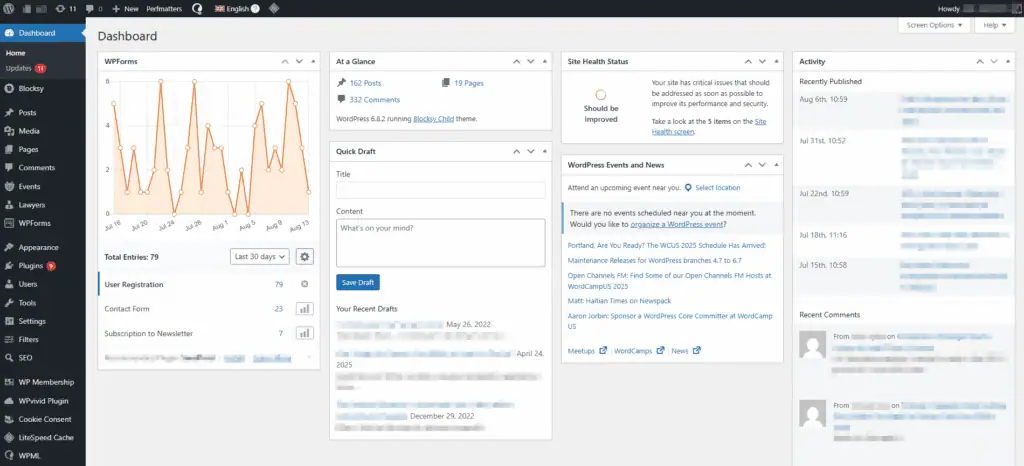
Optimizing the backend matters just as much as frontend speed. Removing unused meta boxes makes your dashboard cleaner, loads it faster and saves processing power for tasks that actually matter.
So let’s learn how to remove some (or all) of the widgets from your WordPress dashboard without using any extra plugin, simply by adding a simple PHP snippet to the functions.php file.
The functions.php file is a file inside your WordPress theme that lets you add custom PHP code to extend or modify your site’s behavior. If you’re not familiar with it, I recommend checking out the guide on how to access and safely edit the functions.php file.
Clean up your WordPress dashboard
Before you start
- Always back up your
functions.phpfile before editing it. - If you’re using a child theme, make the edits there instead of the parent theme.
Remove the default WordPress Dashboard widgets
Open your theme’s functions.php, and paste the following snippet at the end of the file:
function acc_hide_metaboxes() {
    $screen = get_current_screen();
    if ( ! $screen ) {
        return;
    }
    remove_action( 'welcome_panel', 'wp_welcome_panel' ); // Welcome panel
    remove_meta_box( 'dashboard_quick_press', 'dashboard', 'side' ); // Quick Draft
    remove_meta_box( 'dashboard_primary', 'dashboard', 'side'); // WordPress Events and News
    remove_meta_box( 'dashboard_site_health', 'dashboard', 'normal' ); // Site Health Status
    remove_meta_box( 'dashboard_right_now', 'dashboard', 'normal' ); // At a Glance
    remove_meta_box( 'dashboard_activity', 'dashboard', 'normal' ); // Activity
}
add_action( 'wp_dashboard_setup', 'acc_hide_metaboxes', 20 );
By default, this code snippet will remove all default WordPress widgets from the Dashboard. Each line has a comment at the end indicating which metabox it targets. If you want to keep some widgets, simply delete their corresponding lines from the code. For example, here’s how to remove only the “WordPress Events and News” widget from the Dashboard:
function acc_hide_metaboxes() {
    $screen = get_current_screen();
    if ( ! $screen ) {
        return;
    }
    remove_meta_box( 'dashboard_primary', 'dashboard', 'side' ); // WordPress Events and News
}
add_action( 'wp_dashboard_setup', 'acc_hide_metaboxes', 20 );
Save the file, and you’re done! This approach is a clean, no‑plugin way to hide WordPress dashboard widgets (a.k.a. “remove metaboxes in WordPress”).
Remove plugin and theme widgets from the Dashboard
“Wait, how do I find out which line I should add to remove the metabox of the XXXXX plugin?”
…you may ask. It’s easy, but not that easy!
1) Find the ID of the widget
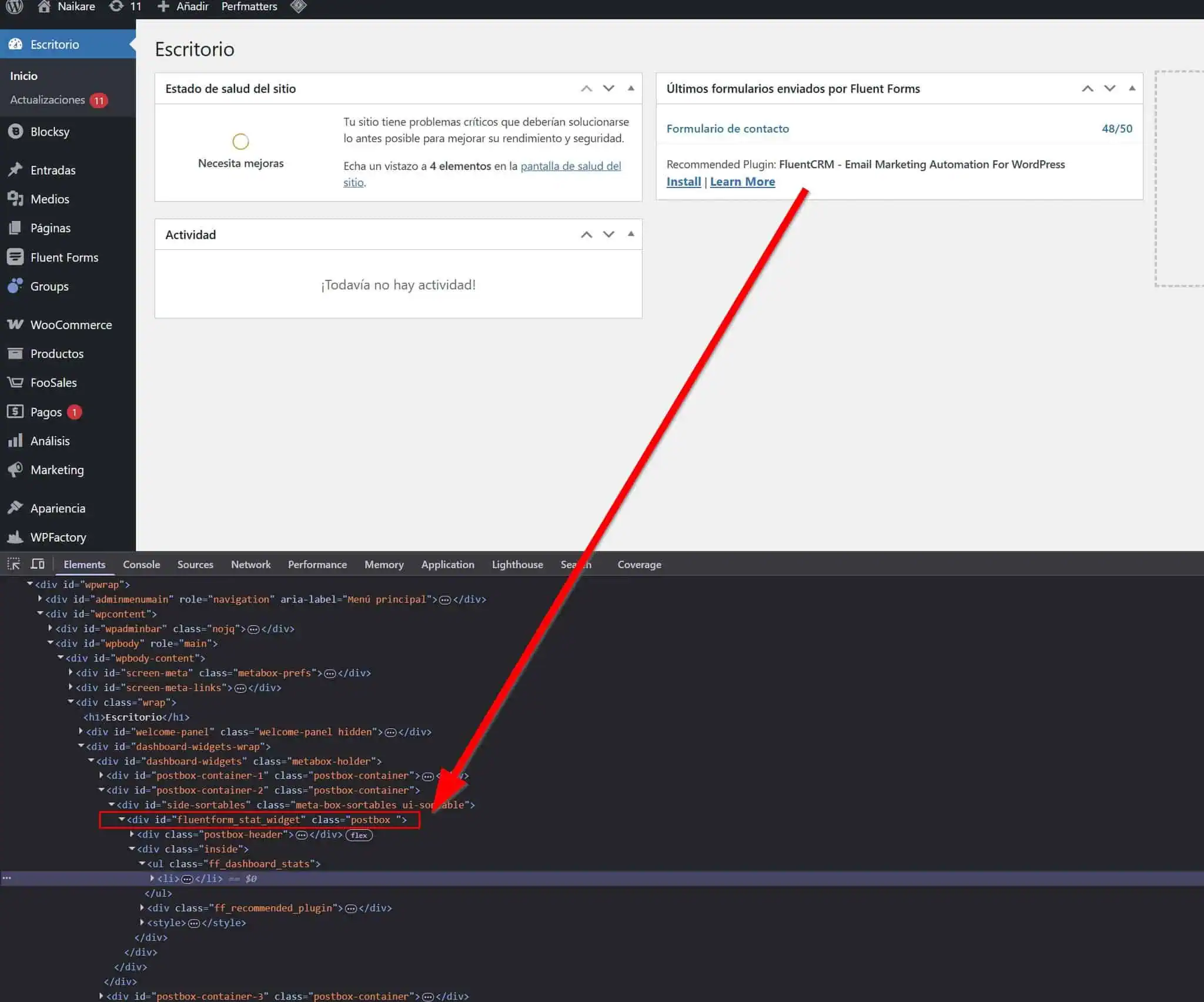
- Right‑click the widget’s title bar in the Dashboard and choose Inspect to open your browser’s Developer Tools. It should open with the Elements tab active and a line belonging to the widget selected.
- You need to find the line three levels below the element with
id="dashboard-widgets". For example, for the Fluent Forms widget, the ID isfluentform_stat_widget, and it should have thepostboxclass. Copy saididattribute, that’s the widget ID you will use inremove_meta_box().
2) Build the line of code
Once you have the ID, the line of code will look like this (following the Fluent Forms example):
remove_meta_box( 'fluentform_stat_widget', 'dashboard', 'normal' );In some cases, you might need to change normal to side:
remove_meta_box( 'fluentform_stat_widget', 'dashboard', 'side' );Determining which one to use can be a bit tricky and is beyond the scope of this article, but you can usually just try both. 😉
3) Add it to functions.php
Once you have the correct line of code, add it below the other lines in your previous functions.php snippet. For example:
function acc_hide_metaboxes() {
    $screen = get_current_screen();
    if ( ! $screen ) {
        return;
    }
    remove_meta_box( 'dashboard_quick_press', 'dashboard', 'side' ); // Quick Draft
    remove_meta_box( 'dashboard_primary', 'dashboard', 'side'); // WordPress Events and News
    remove_meta_box( 'dashboard_site_health', 'dashboard', 'normal' ); // Site Health Status
    remove_meta_box( 'dashboard_right_now', 'dashboard', 'normal' ); // At a Glance
    remove_meta_box( 'dashboard_activity', 'dashboard', 'normal' ); // Activity
    remove_meta_box( 'fluentform_stat_widget', 'dashboard', 'normal' ); // Fluent Forms
}
add_action( 'wp_dashboard_setup', 'acc_hide_metaboxes', 20 );
List of lines of code to remove widgets from plugins and themes
To make things easier, here’s a list of various plugins and themes that add metaboxes and widgets to the Dashboard, along with the necessary code to remove them. Unless otherwise specified, each line must be placed inside the acc_hide_metaboxes function, as explained in the above step #3.
301 Redirects Pro
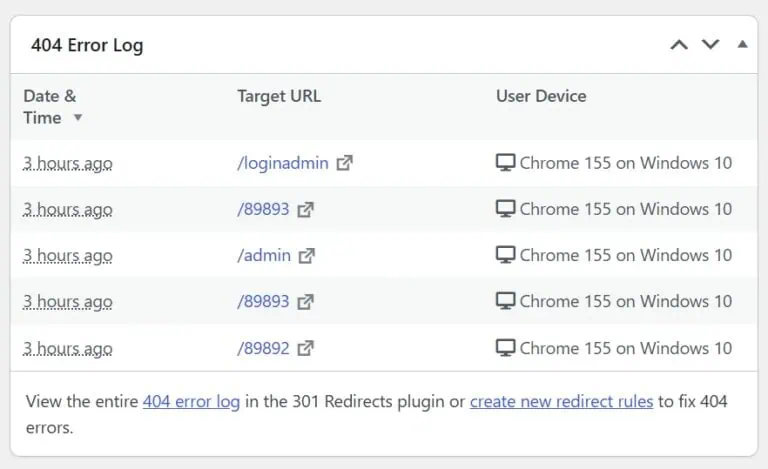
remove_meta_box( 'wp301_404_errors', 'dashboard', 'side' );Activity Log Pro – Statistics
remove_meta_box( 'actlogpro_activity_stats_widget', 'dashboard', 'normal');AffiliateWP Referral Summary
remove_meta_box( 'affwp_dashboard_overview', 'dashboard', 'normal' );Async JavaScript
remove_meta_box( 'aj_dashboard_widget', 'dashboard', 'normal' );Blacklist Manager
remove_meta_box( 'wc_blacklist_manager_protection_status', 'dashboard', 'normal' );CookieYes
remove_meta_box( 'cookieyes_dashboard_widget', 'dashboard', 'normal' );Daily Writing Prompt (Jetpack)
remove_meta_box( 'wpcom_daily_writing_prompt', 'dashboard', 'side' );Elementor Overview
remove_meta_box( 'e-dashboard-overview', 'dashboard', 'normal');Fluent Forms Latest Form Submissions
remove_meta_box( 'fluentform_stat_widget', 'dashboard', 'normal' );FluentSMTP
remove_meta_box( 'fluentsmtp_reports_widget', 'dashboard', 'normal' );FunnelKit
remove_meta_box( 'funnelkit_widget', 'dashboard', 'normal' );Latest News from WebAppick Blog
remove_meta_box( 'aaaa_webappick_latest_news_dashboard_widget', 'dashboard', 'side' );Latest news from YITH Blog
remove_meta_box( 'yith_dashboard_blog_news', 'dashboard', 'normal' );Meks – WordPress Themes & Plugins
remove_meta_box( 'vce_dashboard_widget', 'dashboard', 'side' );Missing Alt-Text (OneTap)
The plugin allows you to disable the widget from its own settings, but that also disables the whole Alt Text functionality. So if you only want the widget gone, add this:
remove_meta_box( 'onetap_missing_alt_text', 'dashboard', 'side' );Redis Object Cache
remove_meta_box( 'dashboard_rediscache', 'dashboard', 'normal' );Reviews and Rating – Google Reviews
remove_meta_box( 'google_business_reviews_rating', 'dashboard', 'side' );WooCommerce Setup
remove_meta_box( 'wc_admin_dashboard_setup', 'dashboard', 'normal' );WordPress Guides/Tutorials (Themeisle)
remove_meta_box( 'themeisle', 'dashboard', 'normal' );WPForms
Add this line outside any function; it is provided directly by the WPForms team and should be directly added to the functions.php file.
add_filter( 'wpforms_admin_dashboardwidget', '__return_false' );YITH Latest Updates
remove_meta_box( 'yith_dashboard_products_news', 'dashboard', 'normal' );Yoast SEO / Wincher: Top Keyphrases
remove_meta_box( 'wpseo-wincher-dashboard-overview', 'dashboard', 'normal' );Yoast SEO Posts Overview
remove_meta_box( 'wpseo-dashboard-overview', 'dashboard', 'side' );